01
Uptime monitoring that actually reaches you
We check your sites around the clock — as often as every minute on Business — and send the alert the moment a check fails. Response time and status code included.
All-in-one monitoring · websites · widgets · servers · APIs
Your website, the widgets on it, your servers, your Docker containers and your APIs, watched in one place. You are told the moment something goes down, stops loading or looks like an attack. Free plan with WhatsApp, Telegram, Slack & email alerts.
Free forever plan · No credit card · Set up in 60 seconds
Live check
NO SIGNUPFree 5 checks per hour. Sign up for 24/7 automated monitoring.
Friday, 11:58 PM...
All quiet. Just how I like it.
Midnight.
Gasp! The site is down!
He searches the page...
And the chat widget is gone too!
...then the server.
Aha! CPU at 98% and a flood of connections.
Sending the alert!
Seconds later...
On it! Fixing it now.
Before anyone noticed.
Back up. Case closed.
The trust problem
If you build or maintain sites for other people, downtime isn't just a technical problem — it's a trust problem. Every minute you don't know is a minute they might. ismysiteup watches your sites and APIs around the clock and pings you the second something breaks, so you're fixing it before anyone else notices.
Three panels
Three steps. Takes less than a minute.
Paste a link. That's the whole setup for a basic check.
WhatsApp, Telegram, Slack, or email — on every plan, including free.
We check around the clock and only interrupt you when something's actually wrong.
On the board
Everything you need to know your sites are up — and to hear about it first.
We check your sites around the clock — as often as every minute on Business — and send the alert the moment a check fails. Response time and status code included.
Five monitors, real alerts, no credit card, no 14-day countdown. Start free and stay free until you outgrow it.
Email's there when you want a paper trail — but we also ping the messaging apps already in your hand, so you actually see the alert. Every channel, free tier included.
SSL certificate expiry, domain-name expiry, and slow response times get flagged early — we even remind you in the days and hours before your domain lapses, so none of them become a 2am emergency.
Group monitors by client or project, see everything at a glance, and never lose track of which site belongs to whom.
A built-in API client to build and save requests, scheduled endpoint tests with assertions, and Data Monitors that watch a value in your JSON — orders, signups, balance — and alert you when it stalls, even if the page still returns 200.
We open your pages in a real browser and list every chat, form, review and payment widget on them — then alert you when one stops loading or disappears.
One command on a Linux server shows its CPU, memory, disks, Docker containers and processes live, with alerts for stopped Docker containers, full disks, pinned CPU and suspicious processes. The agent can't be sent commands.
Status board
Point us at an endpoint, set what "healthy" means — a 200 status, a response under 500ms, a specific field in the JSON — and we'll watch it like we watch your sites. No CI pipeline, no monitoring degree. Just the alert when it breaks — even when the page still says 200.
Included free — no credit card.
Uptime check
200 OK · 180ms
"Looks fine." Nobody gets paged.
Data Monitor
orders/hour: 42 → 0
Alert fires. You fix it before the client emails.
Apps & Widgets
We open your pages in a real browser, list every third-party app, widget and script on them, and tell you which ones stopped loading or disappeared. Not sure what one is? The built-in AI explains it and checks if it looks safe.
One site on the free plan. Scans run on a schedule; you're told once per new problem.
Live chat
Loads on every page
Reviews widget
Script fails to load
Cookie banner
Loads on every page
Booking form
Gone since the last scan
Servers
Paste one command on a Linux server and watch its CPU, memory, disks, Docker containers and processes update live. Pick the containers that matter and get alerted the moment one stops, along with pinned CPU, a full disk, a server that goes quiet or a suspicious process.
The agent only reads and reports: it opens no port and can't be sent commands. One server on the free plan.
When you message a client "we spotted an issue and we're on it" before they've even noticed, you stop looking like the person who broke something and start looking like the person who's always watching. That's what this tool actually sells: not uptime — your reputation.
App tour
A one-minute tour of checking a URL, then watching it with alerts.
Reels

Museum of lost weekends
A weekend outage, told like a gallery piece.

Comic checkout
The moment a checkout goes quiet, in four panels.

Uptime quest
A short quest to catch the outage before anyone else does.
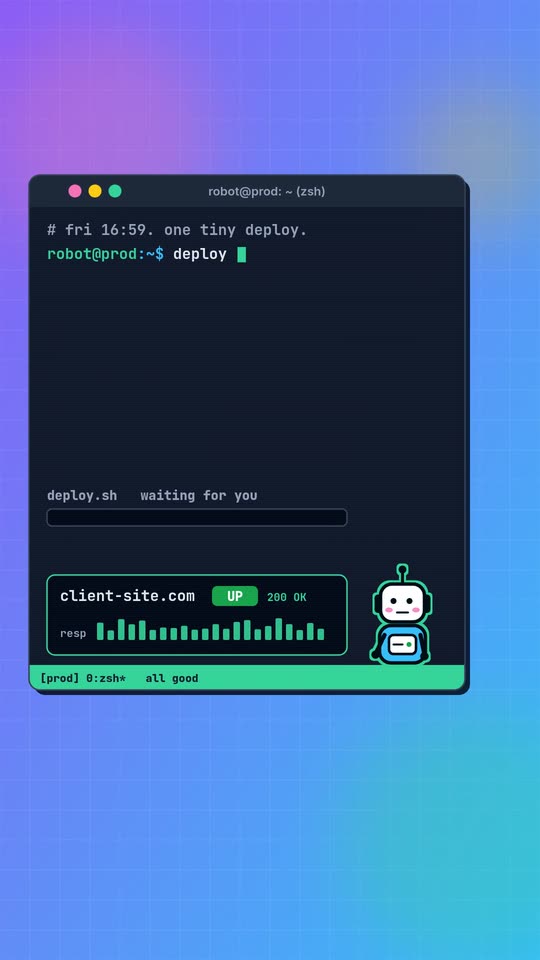
Terminal meltdown
The terminal finds out the site is down first.
Paper outage
An outage written down on paper, then watched for real.

Detective case
A case file for the site that looked fine and was not.
Museum of lost weekends, 1 of 6
Plans
Every plan watches your business, not just your server. Upgrade when one monitor isn't enough.
Questions
The honest answers, before you sign up.
Yes. No card, no trial clock. Five uptime monitors, one Data Monitor, and real alerts via WhatsApp, Telegram, Slack, or email — indefinitely.
Between every minute and every 12 hours depending on your plan and settings (10 minutes on Free, 5 minutes on Pro, 1 minute on Business), with the first alert sent the moment a check fails — not on the next cycle. After that we batch follow-ups so a flapping site can't spam you, then tell you the instant it recovers.
You connect your own channels once — WhatsApp via CallMeBot, Telegram and Slack in a couple of clicks. After that, alerts flow straight to you at no per-message cost from us, on every plan.
That's exactly who this is built for. Organize everything by client or project, watch it all from one dashboard, and message them 'we spotted it and we're on it' before they've even noticed.
Yes — paste any URL into the checker at the top of this page and you'll get the HTTP status, response time, and SSL details instantly. No account needed. Sign up (free) when you want it watched 24/7.
It watches an actual value in your API — order count, signups, revenue, queue depth — and alerts you when it stalls or moves the wrong way. That's the failure plain uptime checks miss: the page returns 200 while the business quietly stops. You get both here.
Yes. Turn on Apps & Widgets for a site and we open its pages in a real browser on a schedule, list every third-party app, widget and script, and alert you when one stops loading or disappears. One site is included on the free plan.
Yes, Linux servers. You paste one install command and see CPU, memory, disks, Docker containers and processes live, with alerts for high CPU, full disks, a server that stops reporting, or a suspicious process. The agent is read-only: it opens no port and cannot receive commands. One server is included on the free plan.
You keep everything you've set up. Pro and Business plans add more monitors, faster checks, and more Data Monitors — nothing breaks and nothing migrates when you upgrade.